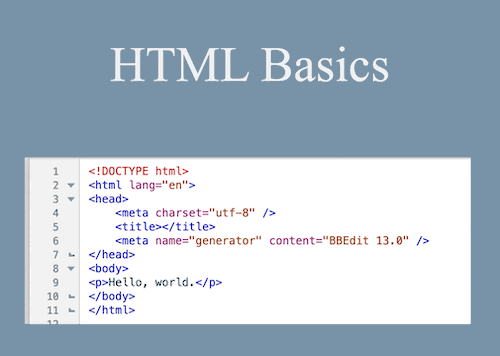
HTML
Chat times for Summer 2024
SUMMER COURSE
Wednesday
1:00p-2:30p ET/10a-11:30a PT
Dr. Christe Ann McMenomy

Home Page
Scholars Online HTML Course
Learn to use HTML5 and CSS to Create Simple Webpages
This course introduces the elements of HTML webpage design with an emphasis mastering the fundamental concepts and techniques, independent of the tools used to actually produce a web page. Students will select a topic or theme for their website, creating the basic pages during hands-on guided exercises in chat, and each week add new features to their site as part of homework assignments. The resulting pages will be uploaded to the Moodle for hosting and review by the teacher and peers. At the end of the course, students will be better equipped to use more sophisticated tools webpage design tools and customize automated pages like blogs.
During this nine-week course we will discuss site design and usability, and explore internet resources in these topics:
- server and client-side interactions and capabilities
- basic HTML format tags for page layout, fonts, links
- lists and tables
- multimedia inclusion
- user input and security
- simple client-side javascript
- basic cascading style sheet use
Prerequisite: No formal courses are required. Students should be comfortable with using a computer and mouse to select and move items, and possess a lively curiosity and sense of humor.
Meetings: The course meets once a week for 90 minutes. See the 2024 Schedule for topics.
Required Texts:
No text is required for this course
Required Software:
Only a current version of one of the standard browsers is required. Students will be able to host webpages on the Scholars Online Moodle, or on their own hosting service if they so desire.
Enrollment for the 2024-2025 summer session opens March 1, 2024. Please use the Scholars Online website to review tuition and fees for this course.
To attend pre-session orientation to the Scholars Online Chat and Moodle platforms, be sure to enroll by May 31, 2024.
© 2005 - 2024 This course is offered through Scholars Online, a non-profit organization supporting classical Christian education through online courses. Permission to copy course content (lessons and labs) for personal study is granted to students currently or formerly enrolled in the course through Scholars Online. Reproduction for any other purpose, without the express written consent of the author, is prohibited.